Wow Christmas is nigh... its only 5 more days before the big fella drops some goodies off to you! So as a little extra special release I thought it would be fun to share some Page Drafts full of 'Christmas Cheer' and in time for you to use over the Christmas break. These templates will work perfectly with creating some especially festive scrapbook pages using all those gorgeous 2012 Christmas photo's you will be taking but of course can be used in other themed pages.
Some of my beautiful and talented scrapbook friends have joined me in the festive spirit and have kindly created plenty of delicious christmas themed pages to share some extra inspiration with you. Their interpretations are fun and vibrant and are sure to inspire in more ways than one. We have managed to show different versions of each sketch and how turning them can create a whole new look. We have also included some quick tips on each page that may prompt you to try some different techniques on yours.
So lets crack that bon-bon and see what fun surprises await!
'Joy'
Brenda has created a stunningly vibrant festive page. The addition of buttons carries the polka dot theme in to the rest of the design and adds a fun dimensional element.
{Tip: Punched borders are a great way to add in extra patterned paper or a solid colour strip to your design.}
'Tasty Treats'
Lindy has made a stunning page. To connect the top & bottom clusters she has masked the middle section using a dot stencil and texture medium to create a stylised snow fall down the page.
{Tip: Try tearing the paper edge to soften the look.}
'Seasons Greetings'
Nancy has created a beautiful page dedicated to her Christmas Tree.
Her mix of papers and trim add a festive flair.
{Tip: Try changing the colour of your photos so that they contrast with the rest of your project.}
'Gentle Touch'
Debs gorgeous page with strong elements and details shows a graphic approach to
embellishing this fun Christmas page.
{Tip: Try your hand at paper piecing to create bold visual content like this christmas tree.}
'Christmas Carolers'
The great thing about sketches is they can be easily adapted to any size format, so try converting them to a 12 X12 or 8.5 X11 essentially giving you two different pages out of one sketch.
{Tip: Download some glitter 'Styles' to create your own sparkly accents.}
'Getting Ready'
Elaine has turned the sketch upside down and created a fabulous background texture by wrapping a piece of Voile around her stamping block. She then brushed some paint on it before stamping directly onto the cardstock base.
{Tip: Try stamping with found objects sourced from within your home. The textures and patterns are a great way to add dimension and depth to your pages and includes an element of the unexpected to your design.}
'Merry Christmas'
What a stunning digital page. Wendy's little bubba boy Christian is a perfect little snow elf! Wendy has cleverly stacked all her elements and with the right amount of shadowing has depicted the perfect perception of depth.
{Tip: Look for fun digital 'Actions' that can easily be downloaded to create metal, glitter and snow elements.}
'Elves Gone Bad'
Belinda never fails to engage with her pages and this one takes the cake erm no strike that the christmas pudding! Her clever placement of meandering elements down the page draws your eye to the fabulous photo of her kids.
{Tip: Use a narrow landscape photo in lieu of two pics. The proportions make for a far more interesting perspective and creates a sense of being closer to the subjects.}
'Oh Christmas Tree'
Karen has scrapped one of the fun jobs of Christmas...NOT... thank goodness for little Elves hey!
This digital page is a great example of blending and layering lots of elements.
{Tip: Try your hand at creating unusual borders by combining several elements,
digital brushes and stamps.}
'Believe'
This gorgeous page by Rochelle shows how some choice elements can create points of interest
without over embellishing.
{Tip: Don't forget to use those punches that are collecting dust.
They create gorgeous borders perfect for festive themed pages.}
'Tis the Season'
Another gorgeous page by Lindy. This time Lindy interpreted the sketch differently by centering the photo grouping and adding extra vertical strips of paper. Thats the great thing about sketches they are just a guide so don't be scared to play around with them.
{Tip: Pull out your sewing machine and crazy stitch some borders to finish off your project.}
'...all mine'
Lizzy's page embodies a mixed media collage style with lots of fun and festive elements. Lizzy has also interpreted the page draft differently by enlarging the design rather than keeping it minimal.
{Tip: Use a stencil and mist 1/3 of your base paper to designate two seperate areas in lieu of using a selection of patterned papers.}
'25 Ways to Scream at Santa'
I loved Lizzy's clever way of spritzing where a PP is depicted in the template
so wanted to show how it looks in a digital scrapbook page. Thanks Lizzy for the inspo ;)
{Tip: Using transparent elements is a great way to add some points of interest
without blocking out other elements beneath them.}
'Merry & Bright'
Nancy formatted her photos into squares which gives this page a strong graphic look.
{Tip: Try different sized photos and include some close ups to help tell your story visually.}
'Noel'
France has cleverly dressed the photos so they look like christmas baubles. To add a bit more texture and dimension she has mounted them on embossed cardstock which really adds an extra little something to the design.
{Tip: Try doodling a border around selected elements to add more definition
and a point of interest to smaller embellishments.}
'Merry Christmas'
By
Di Garling
This page by Di is so striking, little bubba is the perfect christmas cherub. The diagonal striped PP and the ruched ric rac gives it an opulent feel. Di has also cleverly layered
a series of stamps to form a typographic focal point in her page.
{Tip: If you like a multi photo sketch templates but dont have enough photos,
try substituting an embellishment instead.}
'NYC Xmas'
Deb has me marveling over this page. I love how she incorporated the snap shots of her Christmas in NYC and showed the happy christmas spirit in her bright and colourful paper selection.
{Tip: Mount all your elements and photos on a solid coloured cardstock to create a border inturn adding definition to them.}
'Sharing'
I love Elaines page. Her choice to frame the pictures in red lends itself to a graphic & contemporary feel. The bold almost fluorescent colours contrast spectacularly with the black background making it a striking page.
{Tip: Try taking sequence photos using the action setting on your camera. This is a fun way to share a moment in time without the shots being staged.}
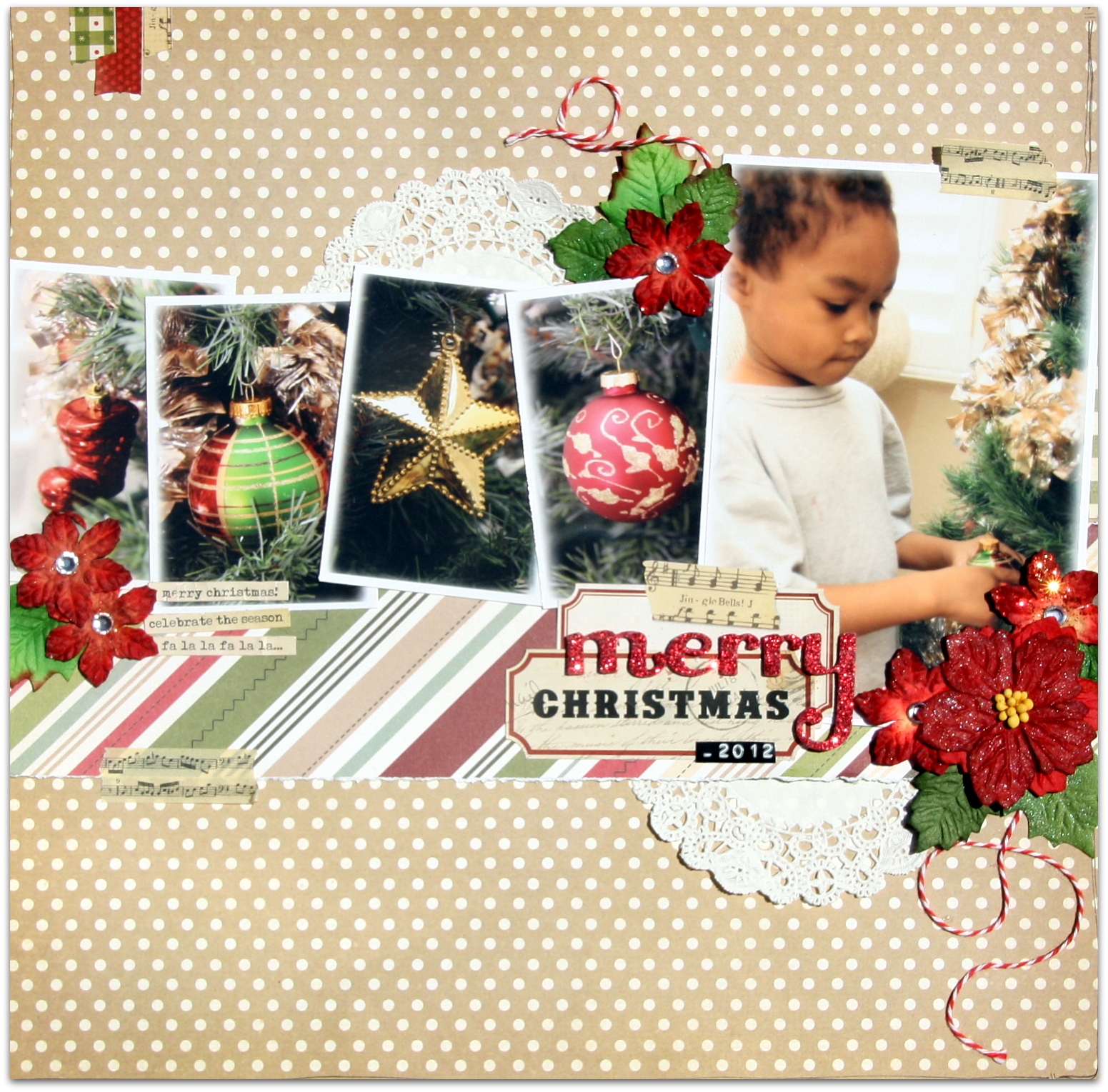
'Merry Christmas'
Another stunning page created by Rochelle. The photographs highlighting the pretty baubles is a clever way to show a different point of view to what is depicted in the main photo.
{Tip: Mix up alphas to make interesting titles.}
'Merry Christmas'
How fabulous is Jan's page of her gorgeous little clan of grand kiddies. Her clever placement of the photos by staggering them down the page is a great way to add movement to the page.
{Tip: Grab that washi tape and add a little to your page for extra texture.}
'Santa's Little Helper'
I love the idea of using the same photo several times in different colour tones. Thats the great thing about digital scrapping...tweaking photo's is as simple as a click of a button!
{Tip: Try paper piercing patterns onto your background papers like in the snow flakes of this page. Its a very simple technique and adds a fun focal point to any page be it digi or traditional.}
'Joy of the World'
Lindy has masterfully created a third page for this reveal and went with a subtle textured background to enhance the snaps of her neighbourhoods christmas lights.
{Tip: Get out all those stencils, inks and texture mediums and have a go at creating some fun backgrounds. Try stamping some elements to give it an Art Journal feel or simply gesso over the top of your PP's to create a ghostly effect of the pattern or text below.}
'12 Days Till Santa Comes'
Flis has created a stunningly delicate page full of colour and texture. She has cleverly handcrafted most of her embellishments adding a very personal touch to her work which are all little extentions of herself.
{Tip: Don't always feel you have to include journaling in your projects.
Sometimes the title and photo paired together can speak volumes.}
'Believe'
Using photos formatted in different shapes is a striking way to share your treasured moments. A series of triangular photos positioned so they look like christmas trees is a great way to support the festive theme.
{Tip: Try Using clipping masks to create digitally punched paper borders.}
......................................................
So there you have it a reveal full of Christmas Cheer I hope you find lots of inspiration and some mojo to get your 2012 Christmas Album done!
I'd really like to say a big thank you to my gorgeous friends for participating in this reveal you guys are simply put... the bestest exceptionally creative ladies in the whole wide world!
Thank you, thank you, thank you!
To the Page Drafts Followers thank you for your support over the past few months without it and your encouragement Page Drafts would never have come about nor would it have lasted almost a year. February 6th 2013 will be our 1st birthday so stay tuned for another exciting reveal with lots of fun things planned for that month :)
Have a safe and happy Christmas everyone!
Em xox